Watch one film
a hundred times.
Every language app hands you more content. Centum hands you one — and gets out of the way.
iPhone & iPad · fully offline · no account
Sentence looping
Tap any line to loop it. Frame-accurate, no drift.
Shadow recording
Hear the original, say it, hear yourself back — both waveforms side by side.
A lap count you can't fake
Only counts when the playhead really went through. Scrubbing earns you nothing.
A hundred squares
One per lap, shaded by the stage you were in. Watching it fill up is the reward.
Bilingual subtitles
Every line, in two languages.
Two subtitle files are almost never from the same release. Centum aligns them by timecode instead of line number — so they never drift apart halfway through the film.
- Target and native language, one above the other
- Nudge the timing in 0.1s steps when a file is off
- Fix a wrong line and it stays fixed
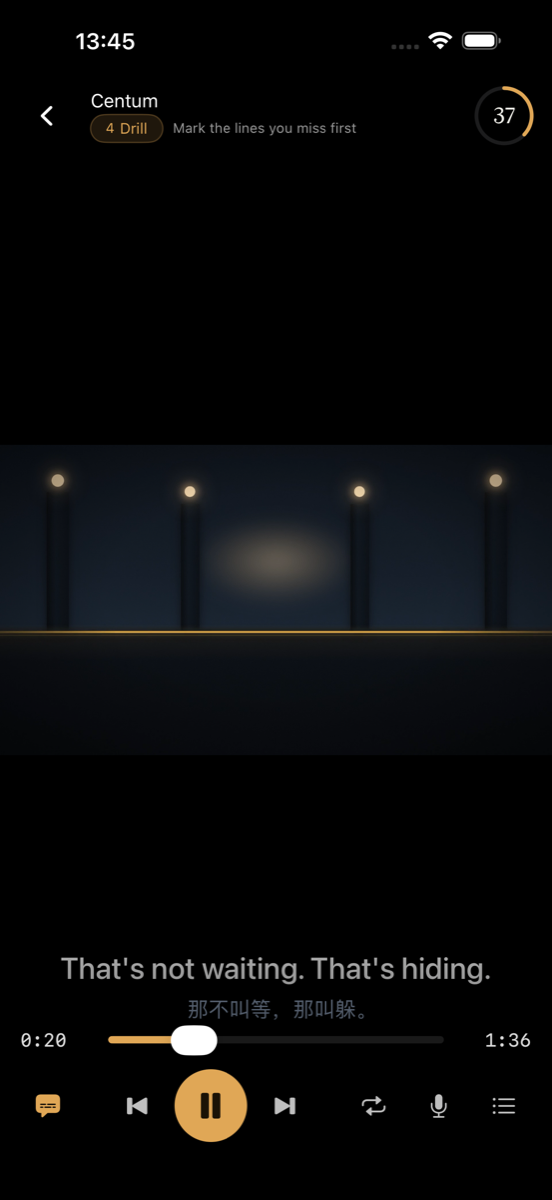
Stage four · drilling
Loop one line until it is yours.
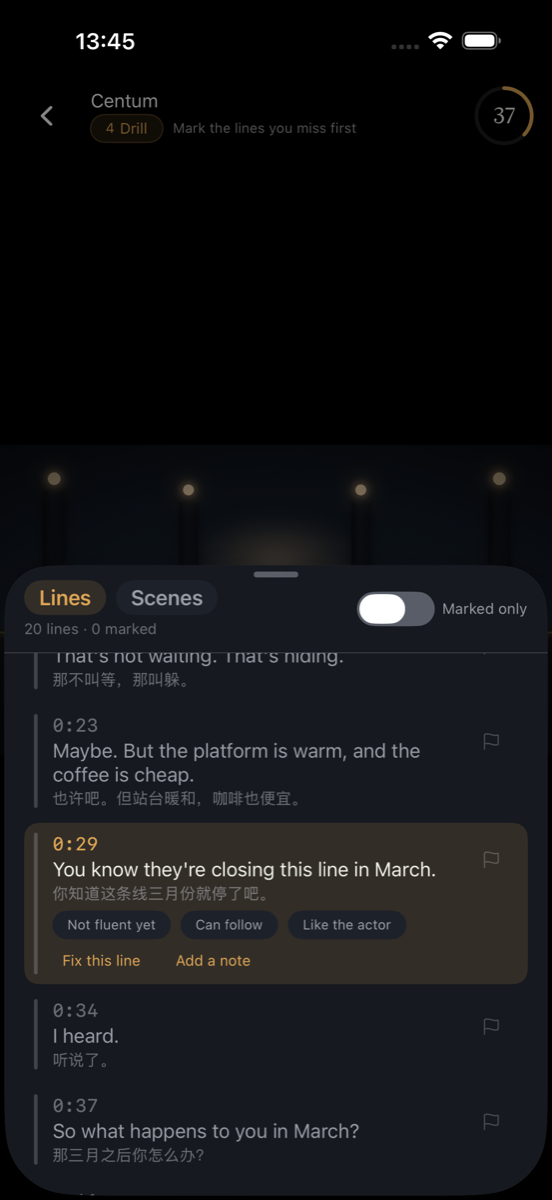
The whole method turns on this screen. Mark the lines you couldn't catch, then come back and take them one at a time.
- Three levels of mastery per line, not a binary
- Notes attached to the exact sentence
- Marked-only view, so you drill what you missed
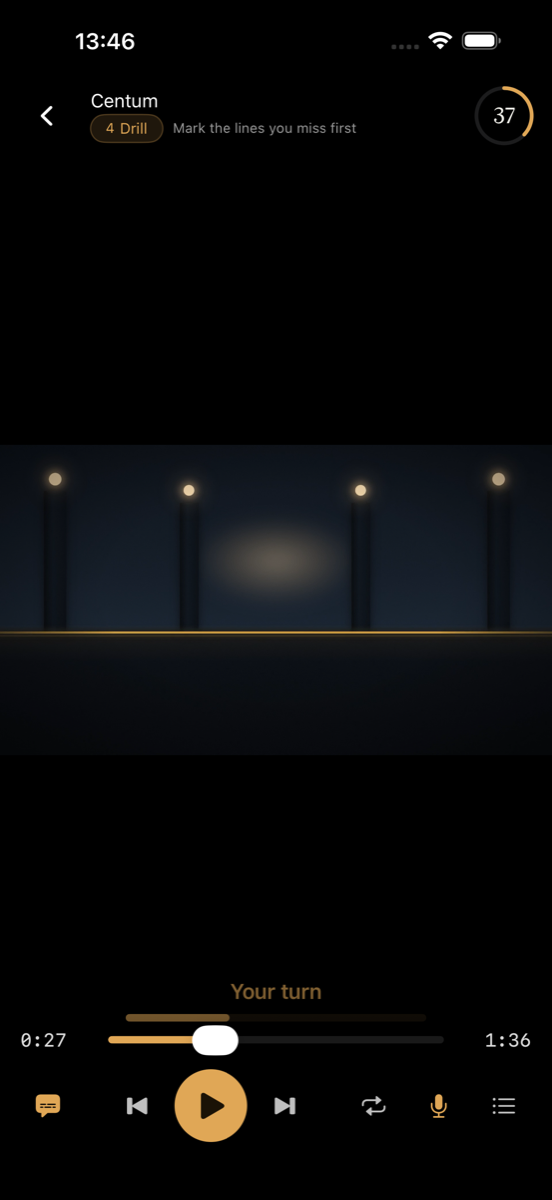
Shadowing
Say it. Hear yourself. Again.
The original plays, then it's your turn, then you hear your own voice back — drawn next to the original as a waveform so you can see where you rushed.
- Original, your turn, playback — one continuous loop
- Recordings never leave the device
- Works without the microphone too, just silently
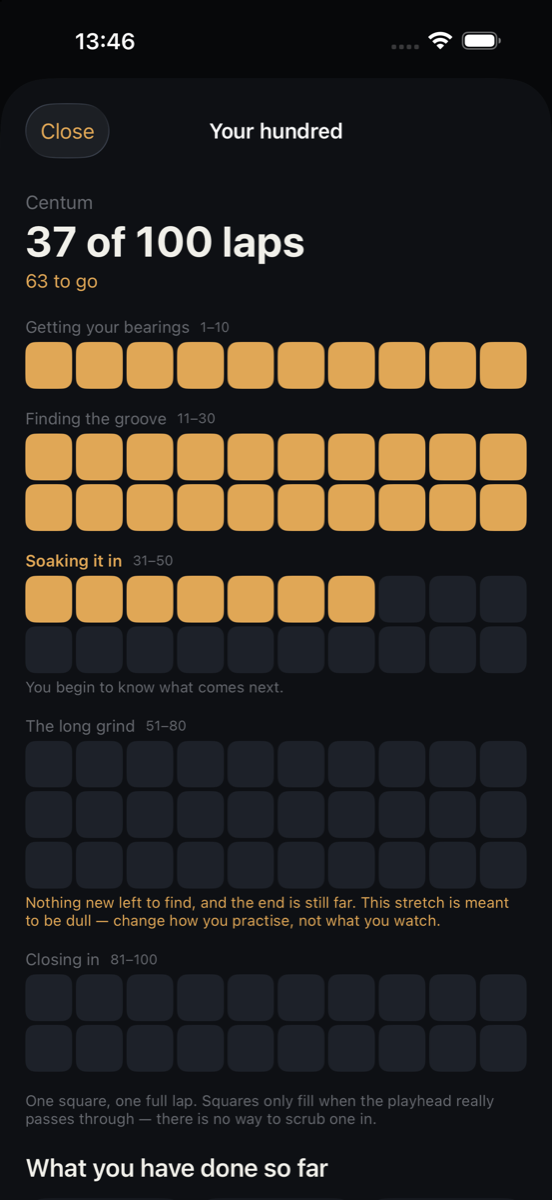
Progress
A hundred squares that mean something.
A square only fills when the playhead really passed through: 1.5× speed or slower, 90% of the film or more. There is no way to scrub one in — which is the entire point.
- Shaded by which stage you were in
- Listening with the screen off counts too
- Lock screen shows the lap count while you listen
Five stages, one film.
The method is 장동완's 100LS. Centum is the tool that makes getting through it survivable.
Watch it with no subtitles
Just enjoy it. You'll miss most of it, and that's the point.
Watch it in your own language
Now the story is yours. You stop guessing at plot and start hearing words.
Watch it with target-language subtitles
Sound snaps onto spelling. Mark every line you couldn't catch.
Go line by line
Loop, say it out loud, record, compare. Stay on a line until it's yours.
Then the rest of the hundred
Watch — or just listen. Screen off, on the train, doing the dishes. This is where fluency actually gets built.
What you bring
Centum ships with no films and no subtitles. It is a tool, not a library — everything comes from the Files app on your device.
A video file
MP4 or MOV on iPhone. Android also plays MKV, AVI, AC3 and DTS — it ships a full decoder, while iOS can only use what the system provides.
A subtitle file
.srt or .ass. One in the language you're learning, and optionally one in your own for stage two.
A film you actually love
You're going to watch it a hundred times. Everyday dialogue at natural speed works best.
On the App Store now. Android is invite-only while we talk to early users.
Nothing leaves your device.
No account. No sign-up. No analytics. Your films, notes, recordings and lap count live in the app's sandbox and go nowhere. Delete the app and they go with it.